
3. Get Wallet Balance via RPC
Now that we’ve connected our wallet, let’s show the user’s Base Sepolia ETH balance in the app.
1) Get Private Onfinality RPC Endpoint
We’ll talk to the Base Sepolia blockchain via Onfinality’s RPC to get the user’s wallet balance.
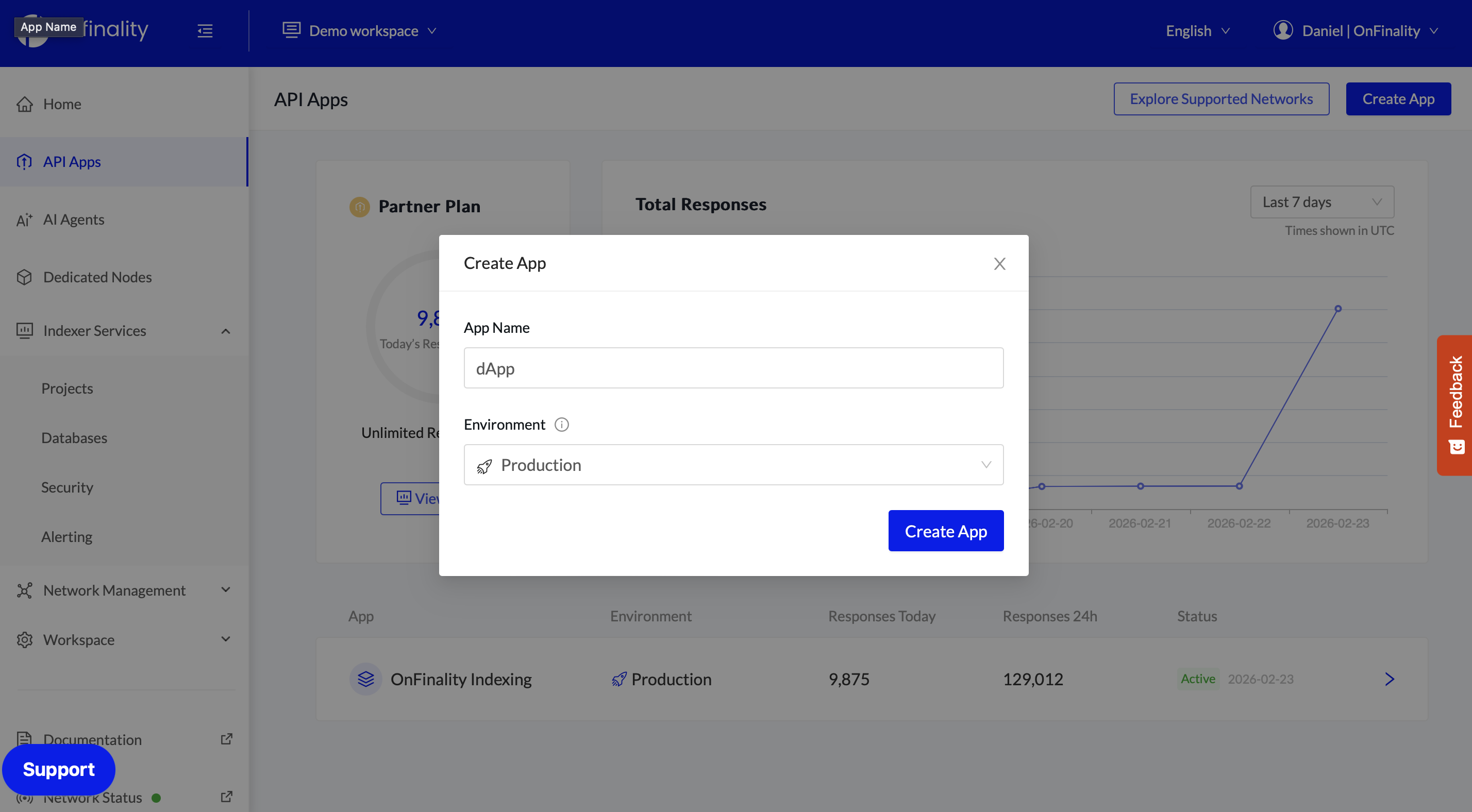
Inside http://app.onfinality.io , navigate to API Apps > Create App. Set the environment and give it a name.
Copy the Base Sepolia Web HTTPs endpoint.
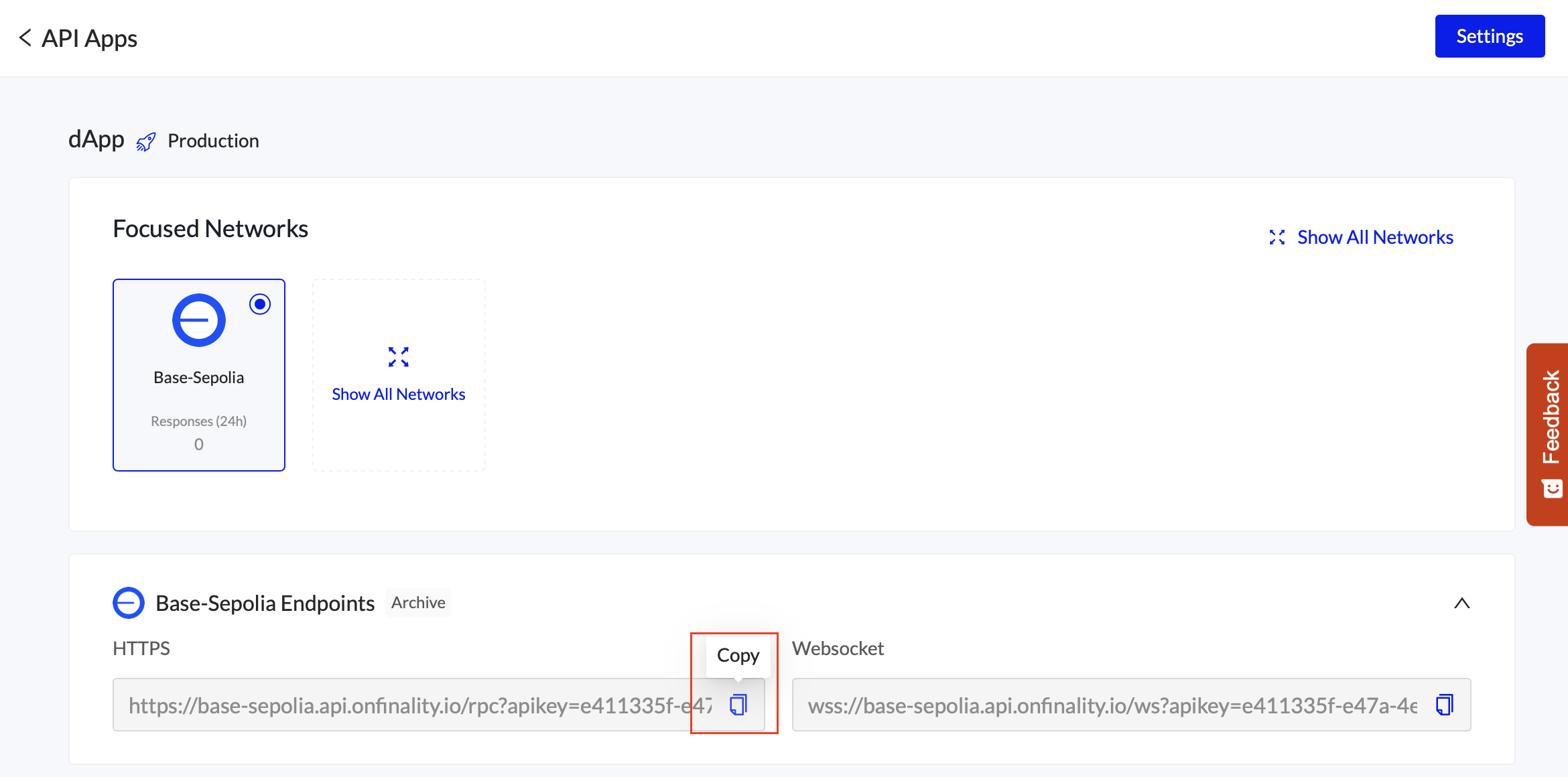

It’s always best practice to use a separate API Key for each application. This separates your logging, analytics, and makes sure the usage of one application doesn’t rate limit the other.
That’s why we haven’t reused the endpoints created in 1. Deploy Data Indexer
For Security, when your application is production ready you can restrict the Production dApp API key to only work from your applications domain - found under Settings in the screenshot above.
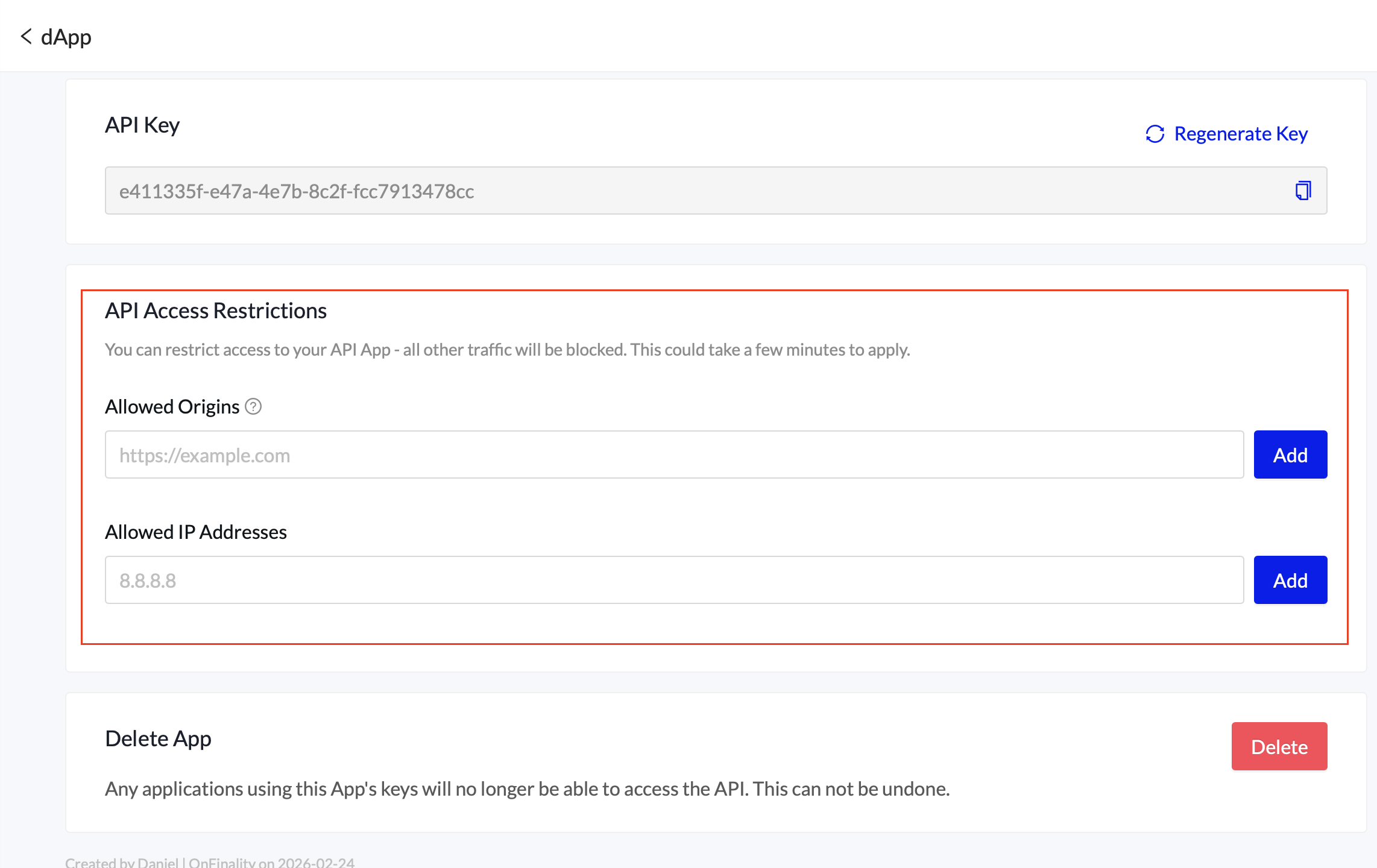
This is important because the dApp API Key will be visible to anybody using your dApp.
The OnFinality Indexing API Key should never be exposed to the public so won’t need any restrictions.
2) Prepare your RPC request
In your terminal, run the following command after replacing **RPCEndpoint** with your own from 6.1
curl -X POST '**RPCEndpoint**' \
  -H "Content-Type: application/json" \
  -d '{"jsonrpc":"2.0","method":"eth_getBalance","params":["0xDb97527e46c0c1aE37b40F7fa1C683B294920C02","latest"],"id":1}'
You will see a response like
{"jsonrpc":"2.0","id":1,"result":"0x57fa65defdb922a"}
3) Show Balance in dApp
To display the wallet balance, in native ETH tokens, we will send the above RPC request from #2 whenever a new wallet is connected.
The balance will be converted to ETH by dividing by 1^18
Code changes are:
Environment file to set Onfinality’s RPC Endpoint
New Component WalletBalance to fetch the balance of the connected wallet
page.tsx updated to invoke the WalletBalance component when a new wallet is connected, and display the result
3.1) Environment Configuration
Create file …/env.local
NEXT_PUBLIC_ONFINALITY_RPC_URL=https://base-sepolia.api.onfinality.io/rpc?apikey=YOUR_API_KEY_HERE
3.2) New Component WalletBalance
Create file …/src/components/WalletBalance.tsx
We’ve included extra error handling so that you can check your browser’s console if you don’t see your balance.
"use client";

import { useAccount } from "wagmi";
import { useEffect, useState } from "react";

const RPC_URL = process.env.NEXT_PUBLIC_ONFINALITY_RPC_URL!;

export function WalletBalance() {
  const { address, isConnected } = useAccount();
  const [balance, setBalance] = useState<string | null>(null);
  const [loading, setLoading] = useState(false);

  console.log("WalletBalance render - isConnected:", isConnected, "address:", address);

  useEffect(() => {
    console.log("WalletBalance useEffect - isConnected:", isConnected, "address:", address);
    if (!isConnected || !address) {
      setBalance(null);
      return;
    }

    async function fetchBalance() {
      setLoading(true);
      try {
        const response = await fetch(RPC_URL, {
          method: "POST",
          headers: { "Content-Type": "application/json" },
          body: JSON.stringify({
            jsonrpc: "2.0",
            method: "eth_getBalance",
            params: [address, "latest"],
            id: 1,
          }),
        });

        const data = await response.json();
        console.log("RPC response:", data);
        if (data.result) {
          const weiBalance = BigInt(data.result);
          const ethBalance = Number(weiBalance) / 1e18;
          setBalance(ethBalance.toFixed(4));
        } else {
          console.error("No result in response:", data);
          setBalance("Error");
        }
      } catch (error) {
        console.error("Failed to fetch balance:", error);
        setBalance("Error");
      } finally {
        setLoading(false);
      }
    }

    fetchBalance();
  }, [address, isConnected]);

  if (!isConnected) {
    console.log("WalletBalance: not connected, returning null");
    return null;
  }

  return (
    <div className="text-sm font-medium text-zinc-600 dark:text-zinc-400">
      {loading ? "Loading..." : balance ? `${balance} ETH` : "—"}
    </div>
  );
}
3.3) Add component to page
Update page.tsx
Import WalletBalance & add before the button
import { ConnectButton } from "@/components/ConnectButton";
import { WalletBalance } from "@/components/WalletBalance";

export default function Home() {
  return (
    <main className="min-h-screen bg-zinc-50 dark:bg-black">
      <header className="flex items-center justify-end gap-4 p-4">
        <WalletBalance />
        <ConnectButton />
      </header>
    </main>
  );
}
After connecting your wallet you should now see the balance.

If your Base Sepolia ETH balance is 0 you can get tokens via a faucet .
You will normally need a smaller amount of Ethereum Mainnet ETH tokens in the wallet to verify your address with the faucet & protect them from spam.