
4. Prepare your Data Queries
Your Data Indexer deployed in 1. Deploy Data Indexer should be fully synced by now, as shown below:
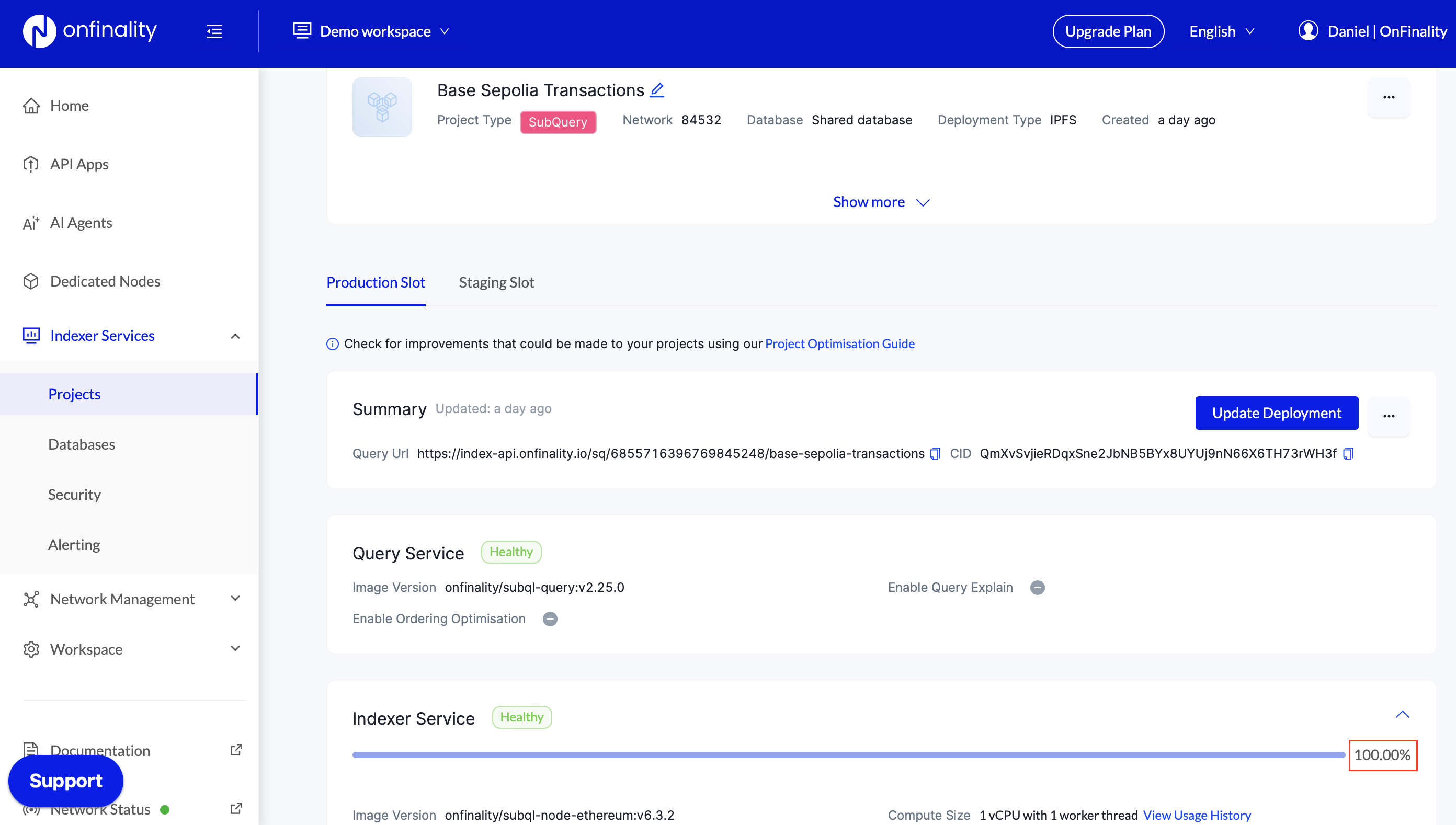
If not, sleep for an hour and then go to top.
We will need to prepare the following queries for our dApp:
Most recent transactions for all wallets
Most recent transactions for given wallet
1. Open GraphQL playground
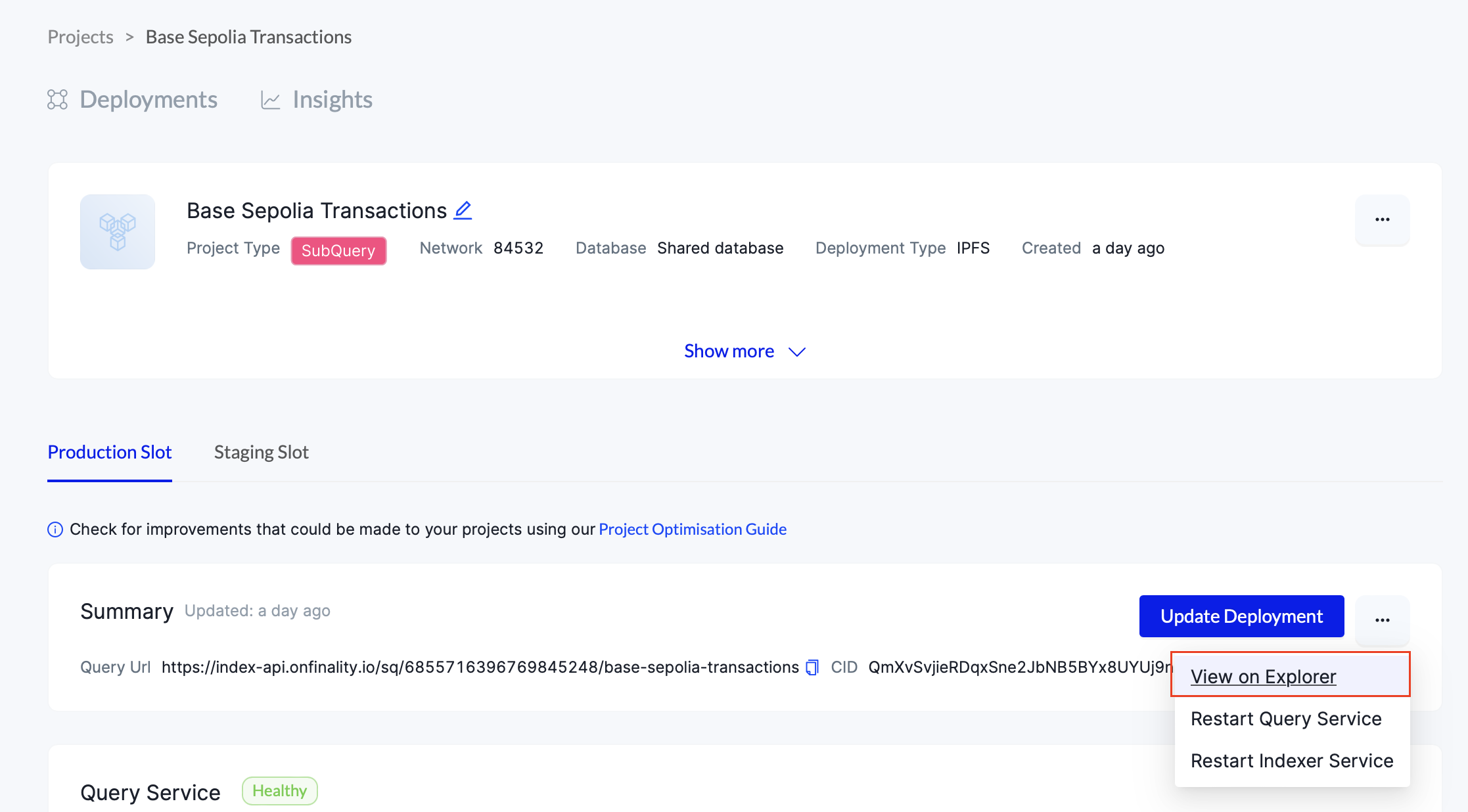
Press … in the Summary section and then View on Explorer
Scroll down to the Playground, paste in the following query, and press Play
{
  transactions {
    totalCount
  }
}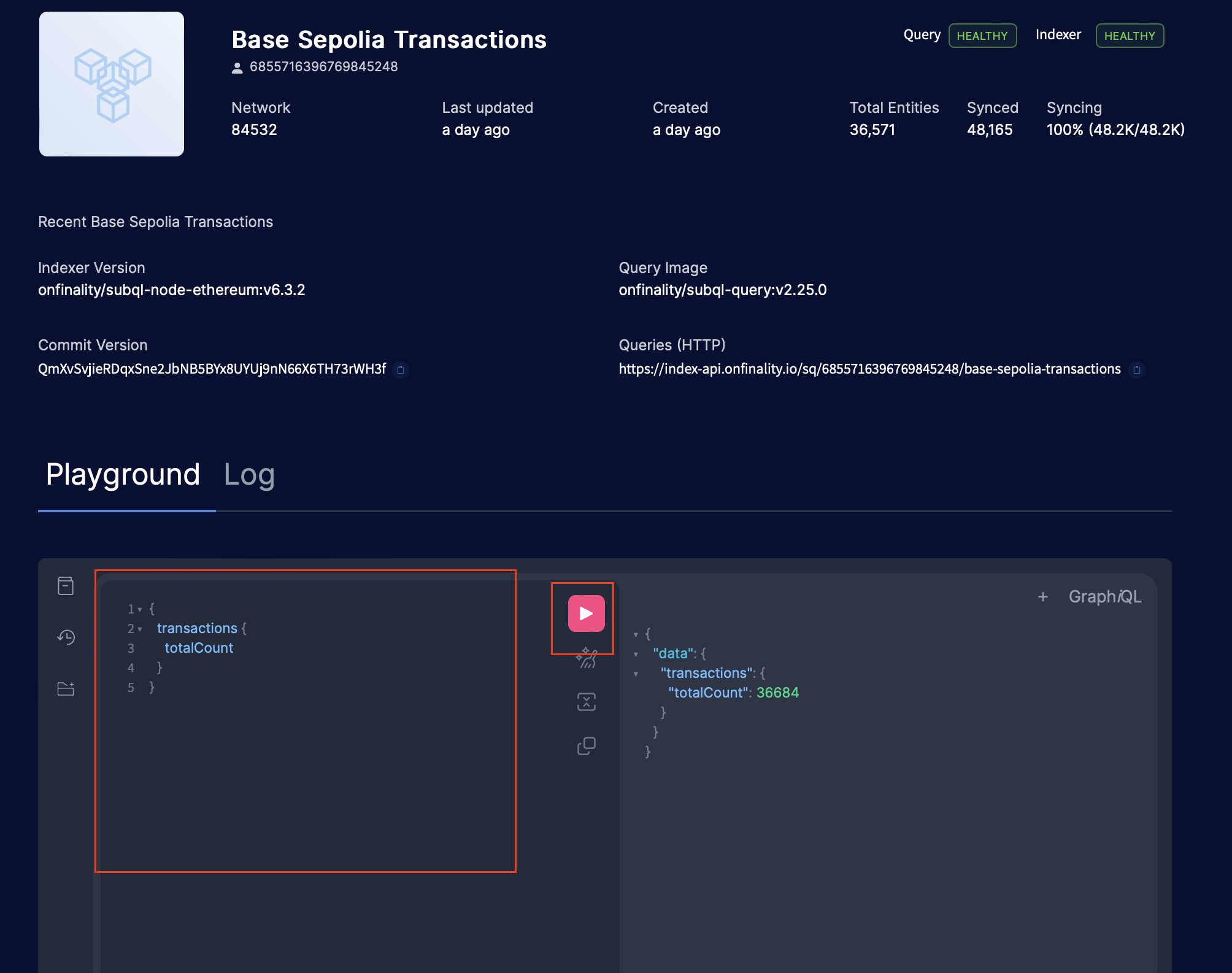
This shows that we have indexed 36,684 transactions since the startBlock of our indexing project - your number will vary.
2. Prepare Query: Most recent transactions for all wallets
Test the following GraphQL Query to select the most recent transactions
{
  transactions(first: 10, orderBy: BLOCK_HEIGHT_DESC) {
    nodes {
      id
      blockHeight
      from
      to
      value
      timestamp
    }
  }
}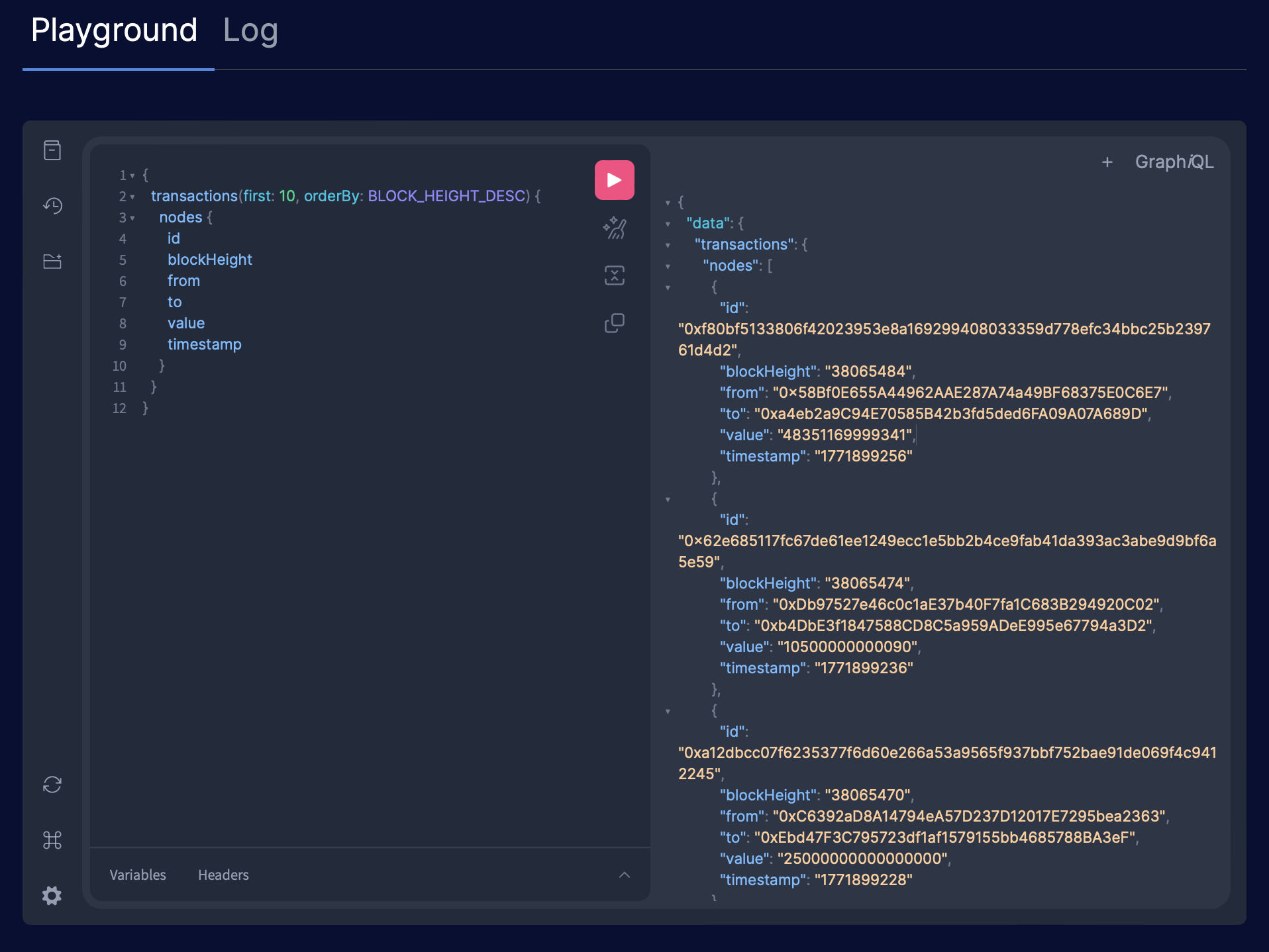
You will see:
Field | Meaning |
|---|---|
id | The transaction’s unique ID on the blockchain. Try searching for it in the Base Sepolia Blockchain Explorer e.g. https://sepolia.basescan.org/tx/0xf80bf5133806f42023953e8a169299408033359d778efc34bbc25b239761d4d2 |
from | The blockchain wallet (address) which sent the transaction |
to | The blockchain wallet (address) which received the transaction |
value | The Base Sepolia ETH token value sent, in e.g. a value of 1,000,000,000,000,000,000 = 1 Eth |
timestamp | The date & time in which the transaction was validated. Stored as Unix timestamp |
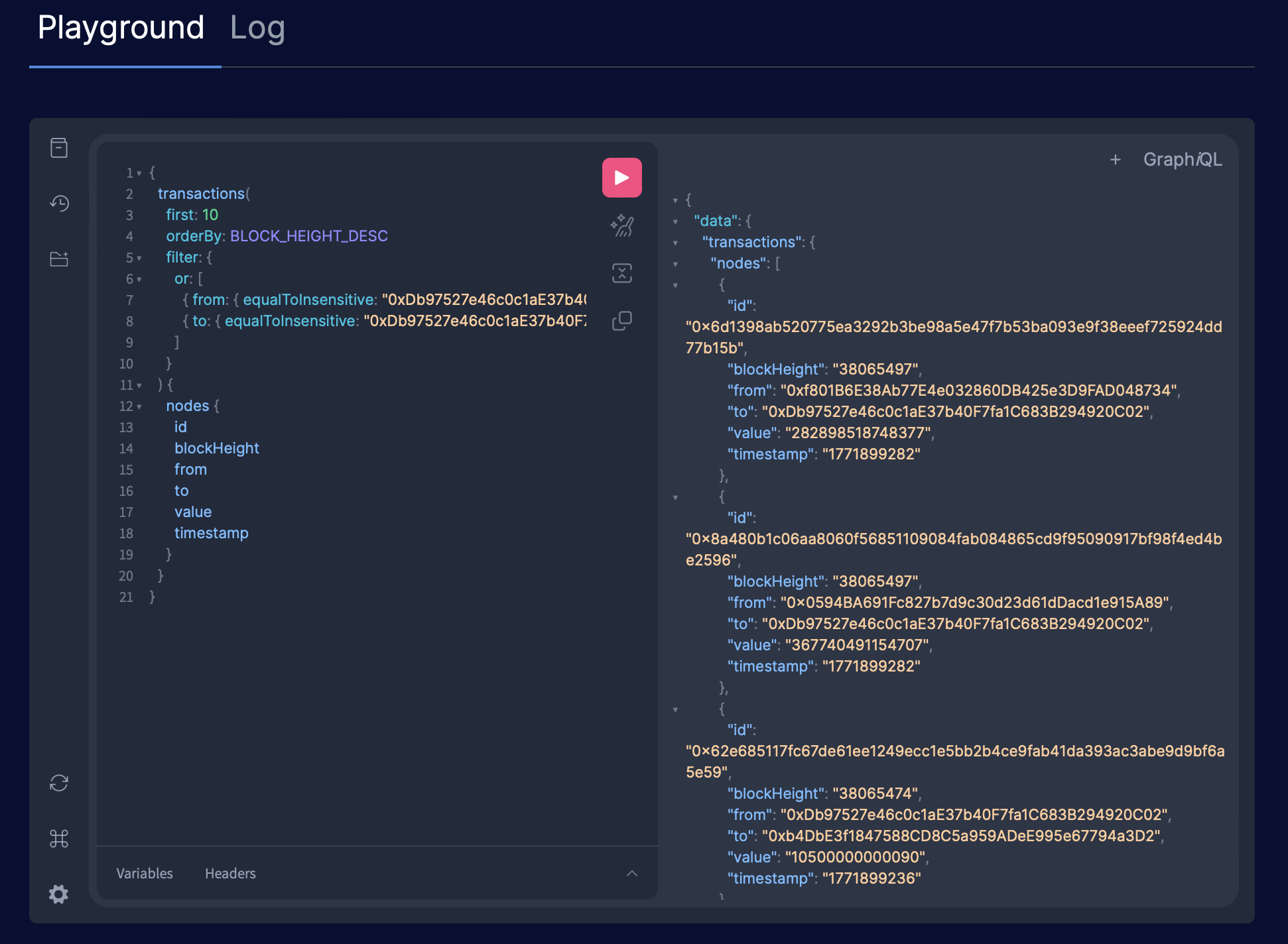
3. Prepare Query: Most recent transactions for given wallet
Copy the wallet address of any from or to address returned in your query above ^, and insert it into the query below by replacing both instances of **address**
{
  transactions(
    first: 10
    orderBy: BLOCK_HEIGHT_DESC
    filter: {
      or: [
        { from: { equalToInsensitive: "**address**" } }
        { to: { equalToInsensitive: "**address**" } }
      ]
    }
  ) {
    nodes {
      id
      blockHeight
      from
      to
      value
      timestamp
    }
  }
}
Run it in the GraphQL explorer and you’ll see the 10 most recent transactions made or received by the wallet address
Great work, we’re ready to get these queries into our dApp!