Migrate your Indexing projects to OnFinality Platform
In February, 2026 OnFinality’s Indexing service was brought into the OnFinality Platform.
This change unifies all OnFinality workspaces, accounts, and products into a single platform, making it even easier for our valued customers to enjoy the wide range of services we offer.
Existing users of the original Indexing platform (called Legacy Indexing for the remainder of this document) can continue using Legacy Indexing until H2 2026 by opening https://indexing.onfinality.io/login and clicking Legacy.
Migrate to OnFinality Platform
A simple, seamless process is required to migrate your projects to the OnFinality Platform.

There is absolutely no impact to:
Your live Indexing services.
Any integrations you have with your indexing projects, such as dApps. Your Query URLs remain the same.
How you manage your SubQuery and Subgraph projects.
Steps:
1. Set up your OnFinality Workspace
1.1) Create your OnFinality Workspace
First, your workspace owner should create an account on the OnFinality Platform at https://app.onfinality.io/signup

Owner is the person who will manage billing for your workspace
1.2) Invite Worskspace members
Invite remaining workspace members who collaborate on your Indexing projects.
Inside OnFinality Platform, navigate to Workspace > Settings and press Invite New Member
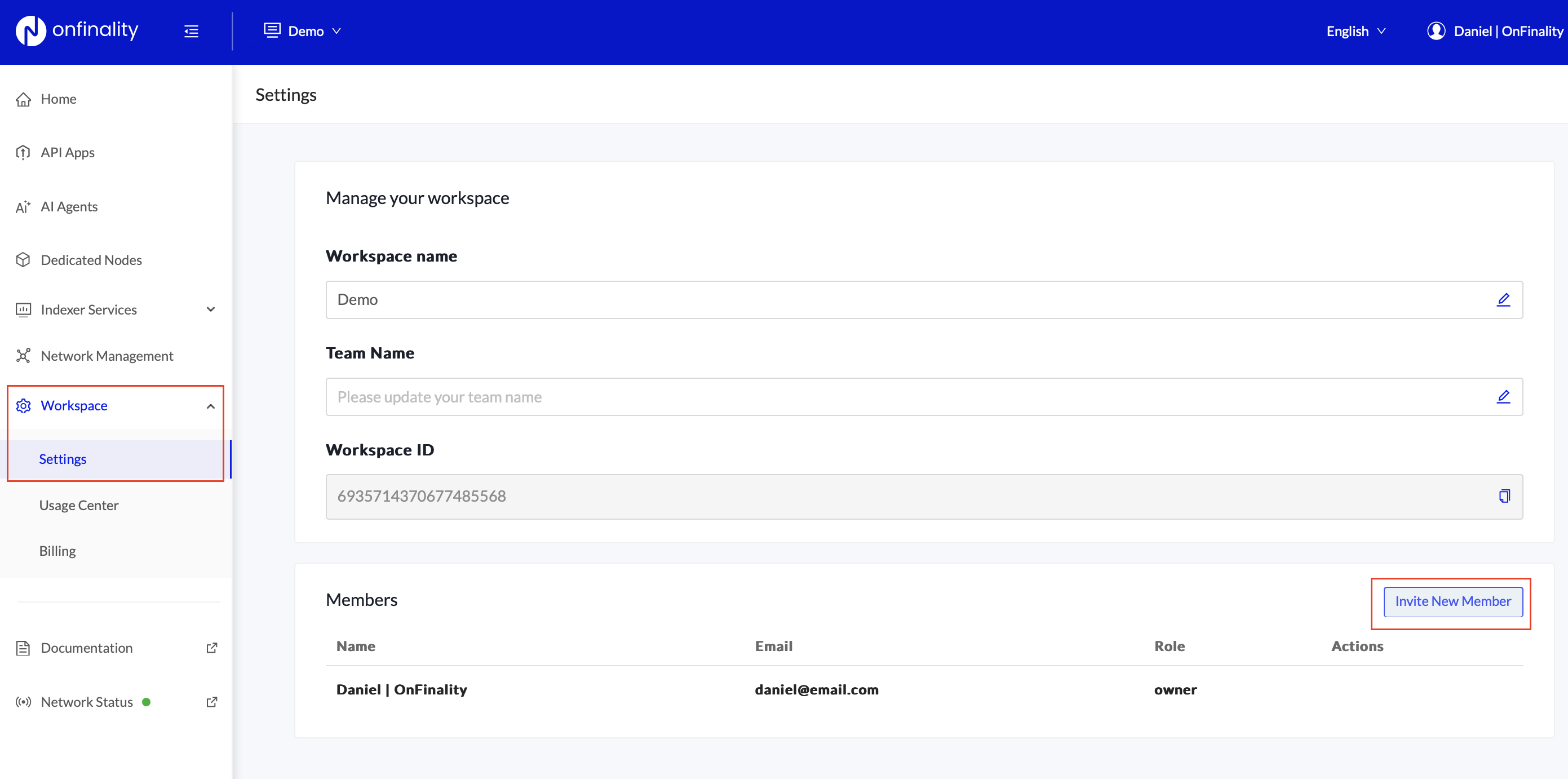
They will need to create their own account before accepting the invitation.
1.3) Configure Plan and Payment (if necessary)
If you were on paid Legacy Indexing plans you will need to upgrade to the respective plan in OnFinality.
There are no changes to the plans or pricing. Only the plan names have been changed to match OnFinality naming.
You will not be charged on the OnFinality Platform until you finish the migration of your existing projects.
Standard Plan (Now “Growth”)
Navigate to Workspace > Billing
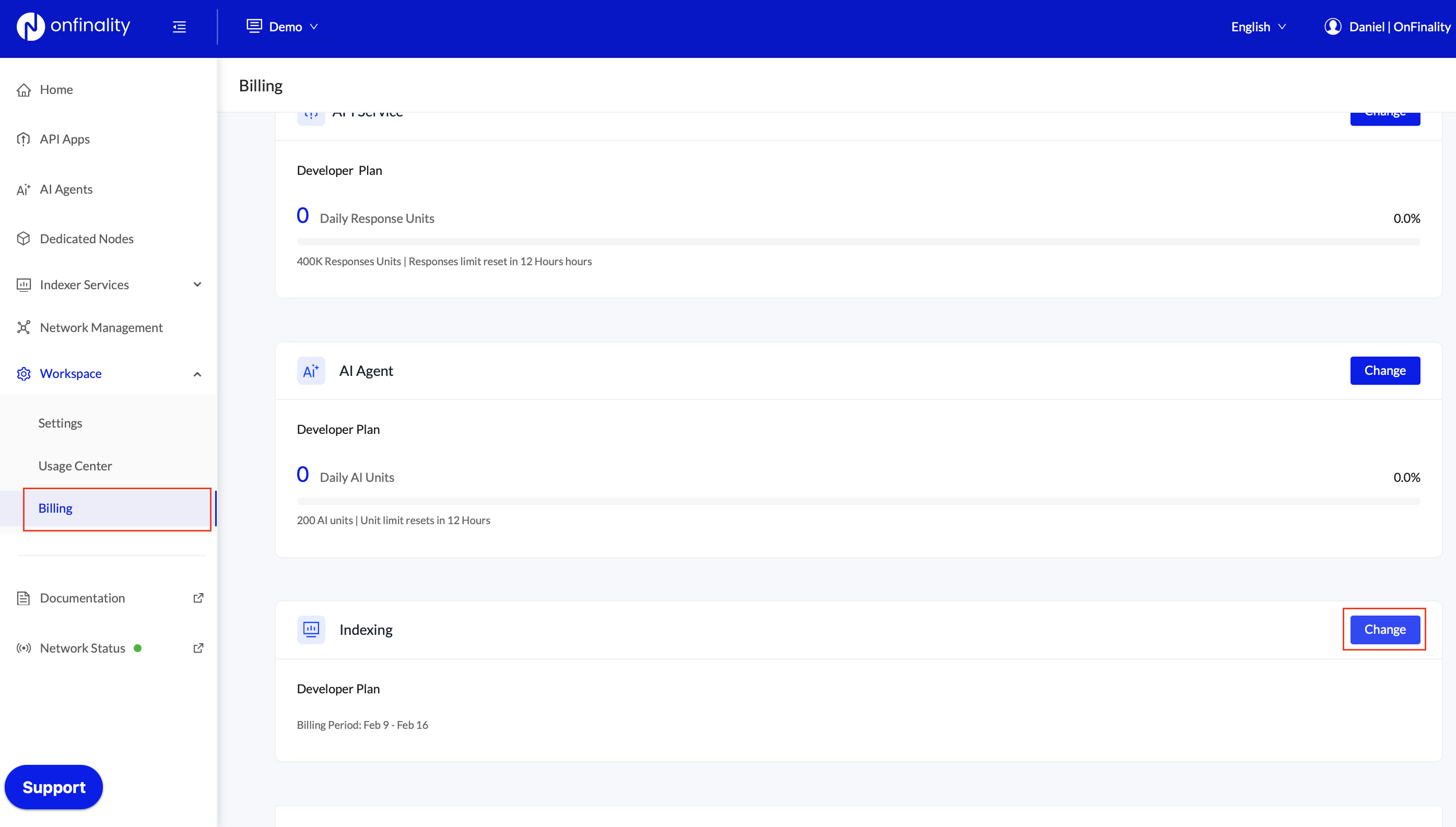
Press the Change button next to Indexing
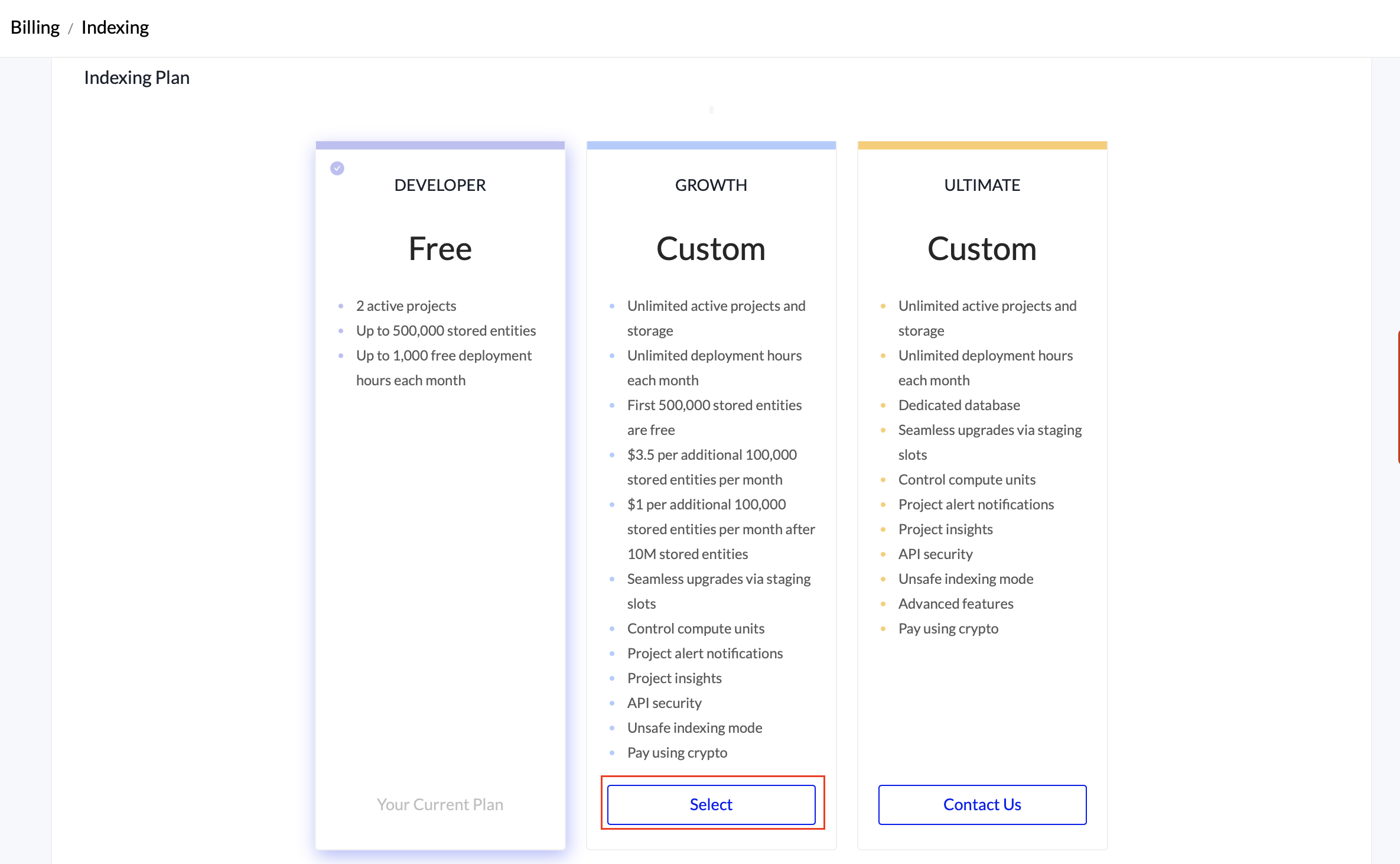
Select Growth and enter your payment method if requested.
Partner Plan (Now “Ultimate”)
The Ultimate Plan must be set up by OnFinality staff. Email support@onfinality.io to finish configuring your new workspace.
2. Copy your OnFinality Access Key
OnFinality Access Keys lets you securely authorise your Legacy Indexing account to migrate projects to your new OnFinality Platform account.
In OnFinality Platform, open Account Settings
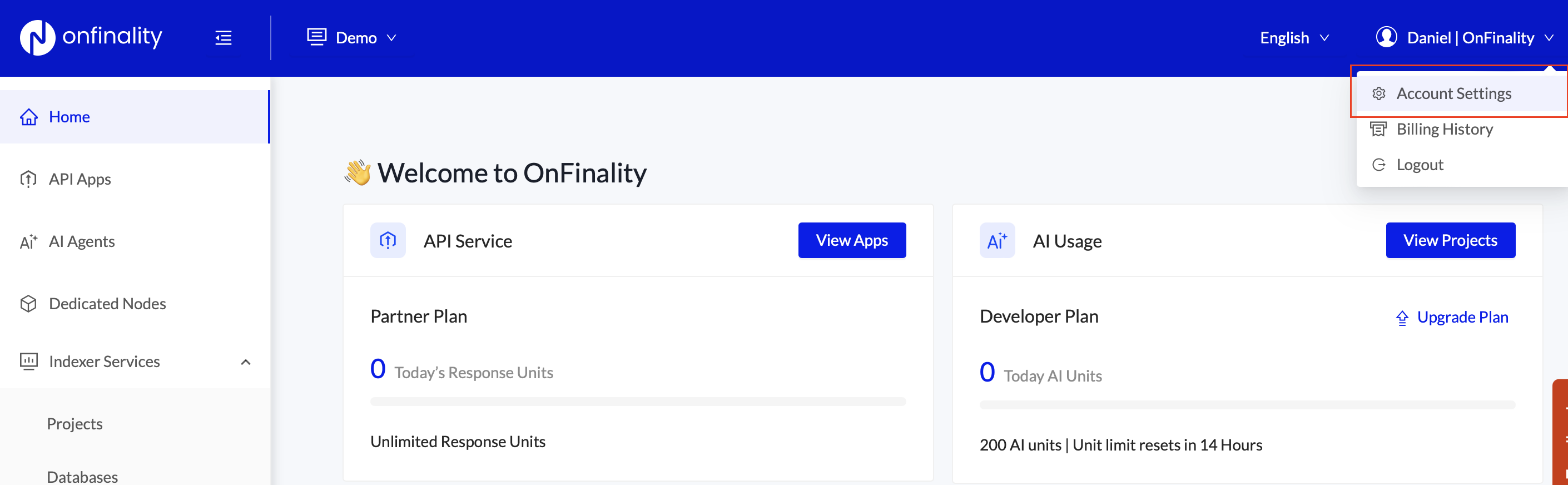
Scroll down to Access Keys and press Add New Access Key

Store the Access Key securely.
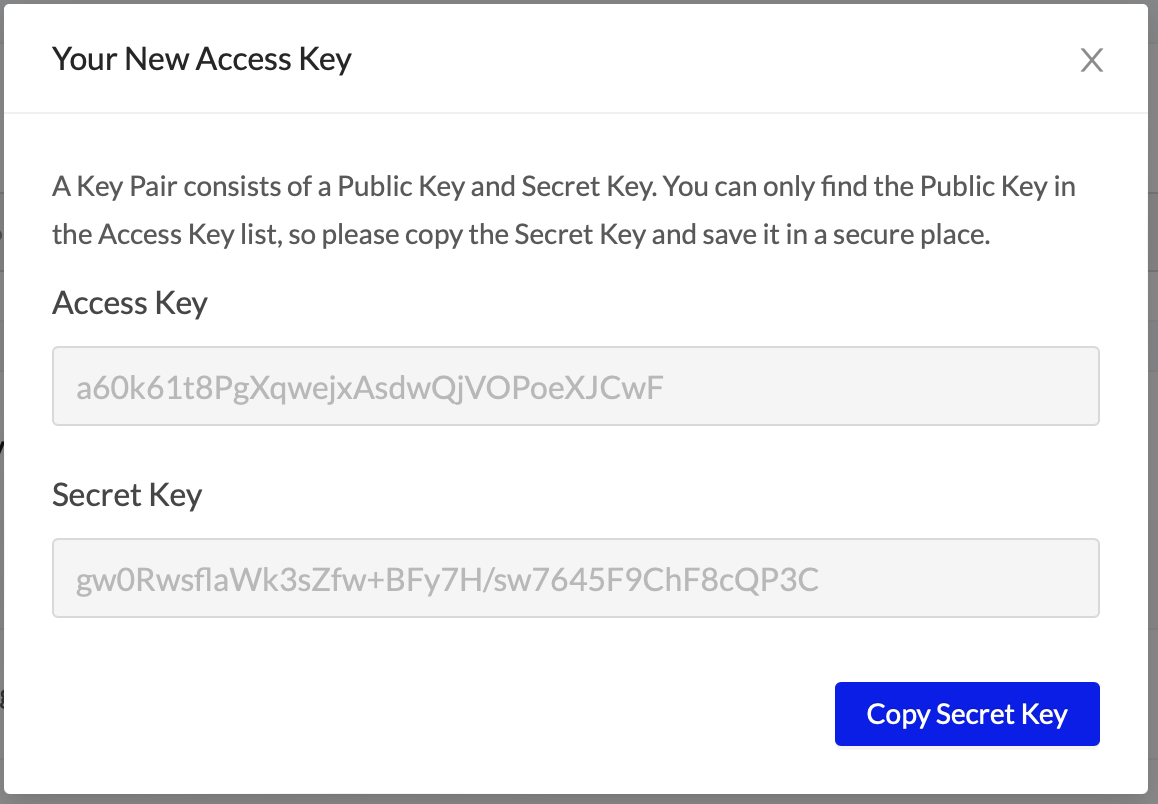
3. Migrate your Indexing Account
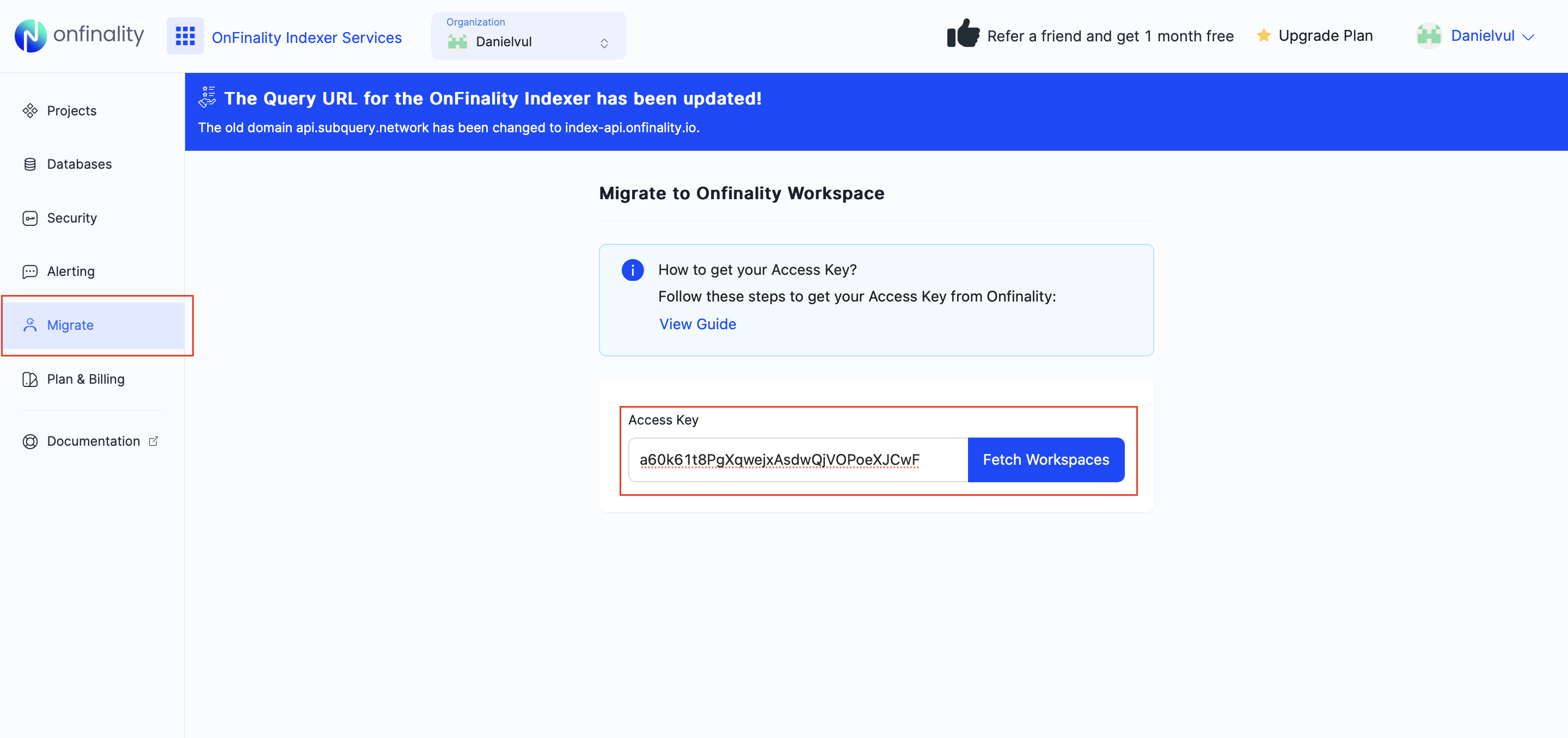
Log in to Legacy Indexing as the Organization owner by opening https://indexing.onfinality.io/login and clicking Legacy.
Navigate to the Migrate page and enter your Access Key from Step 2
Select the OnFinality Platform Workspace which you created in Step 1. Press Confirm Migration
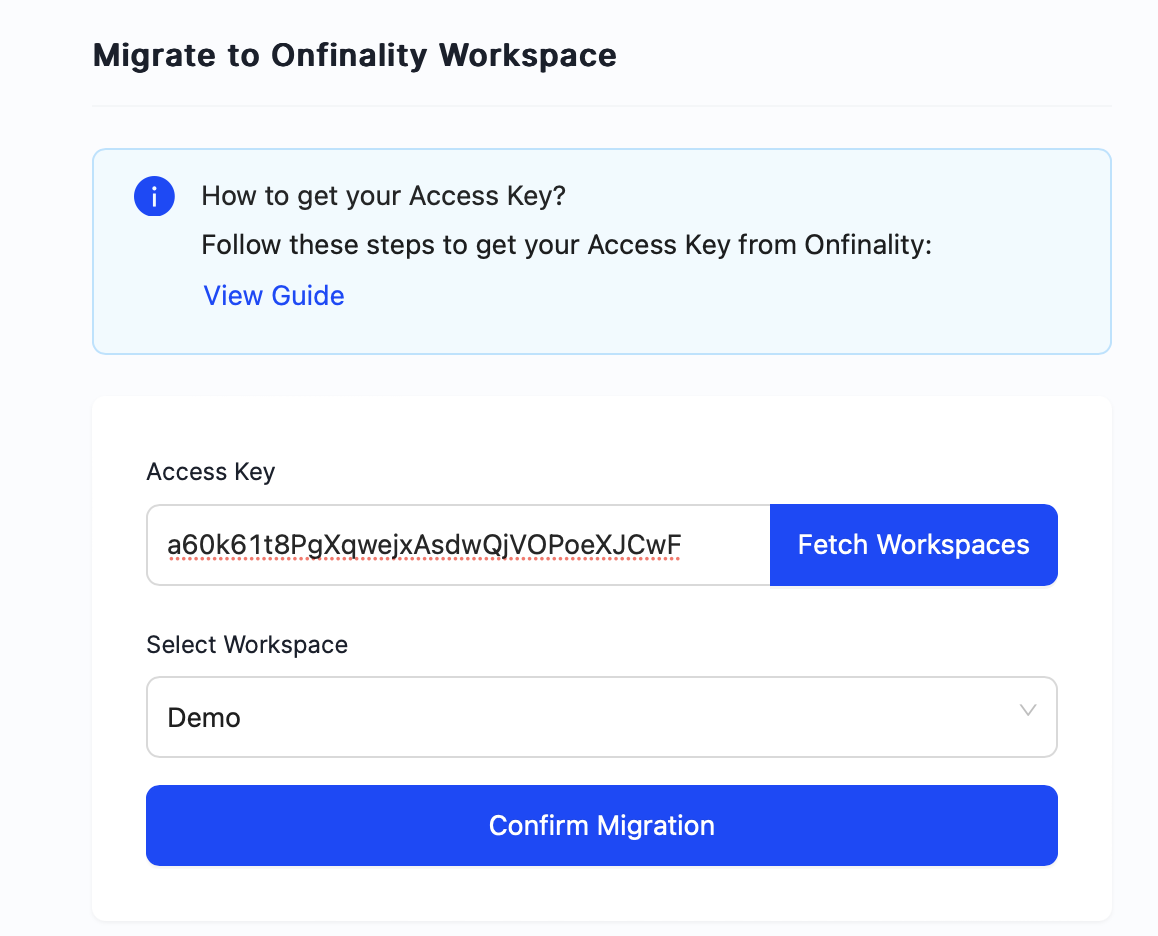
Review and Confirm.
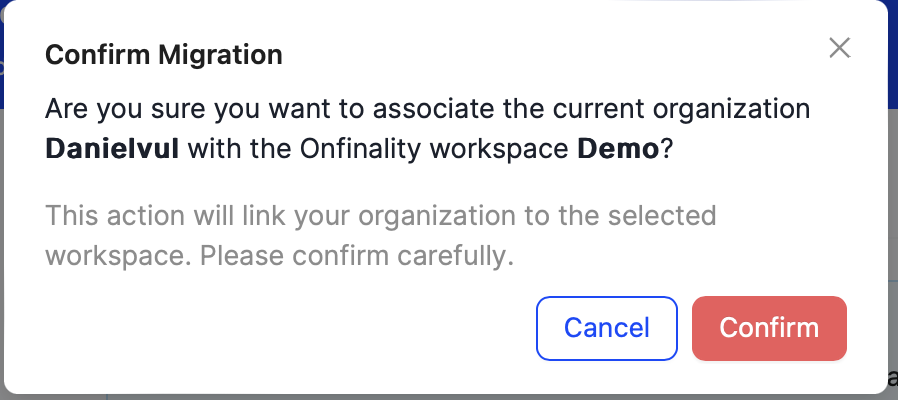
You will see a quick success message.
Your Legacy Indexing organization will remain active, but on the free Developer plan without any projects.
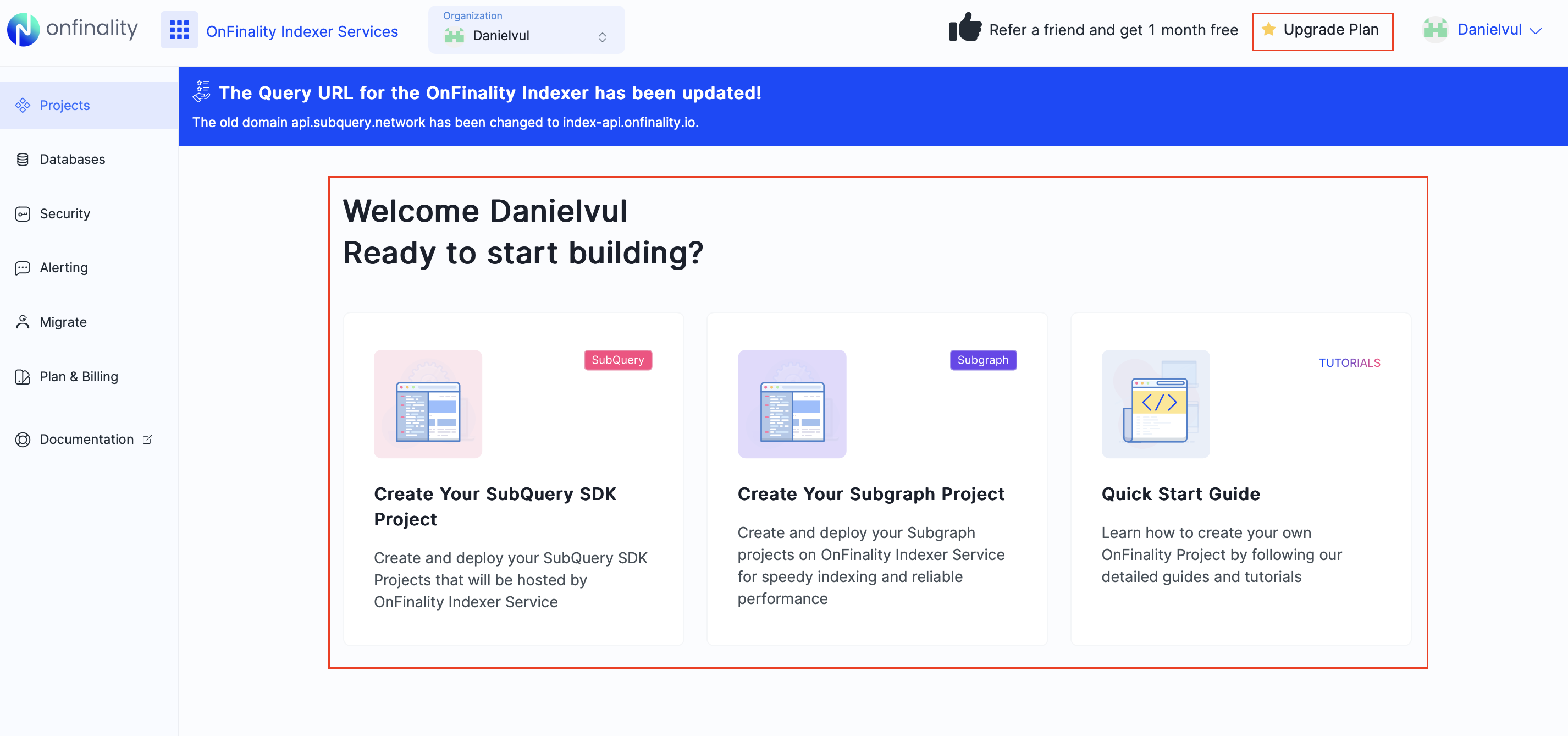
Image: Confirm that your Legacy Indexing projects have been removed and the plan downgraded to stop further billing.
That’s it!
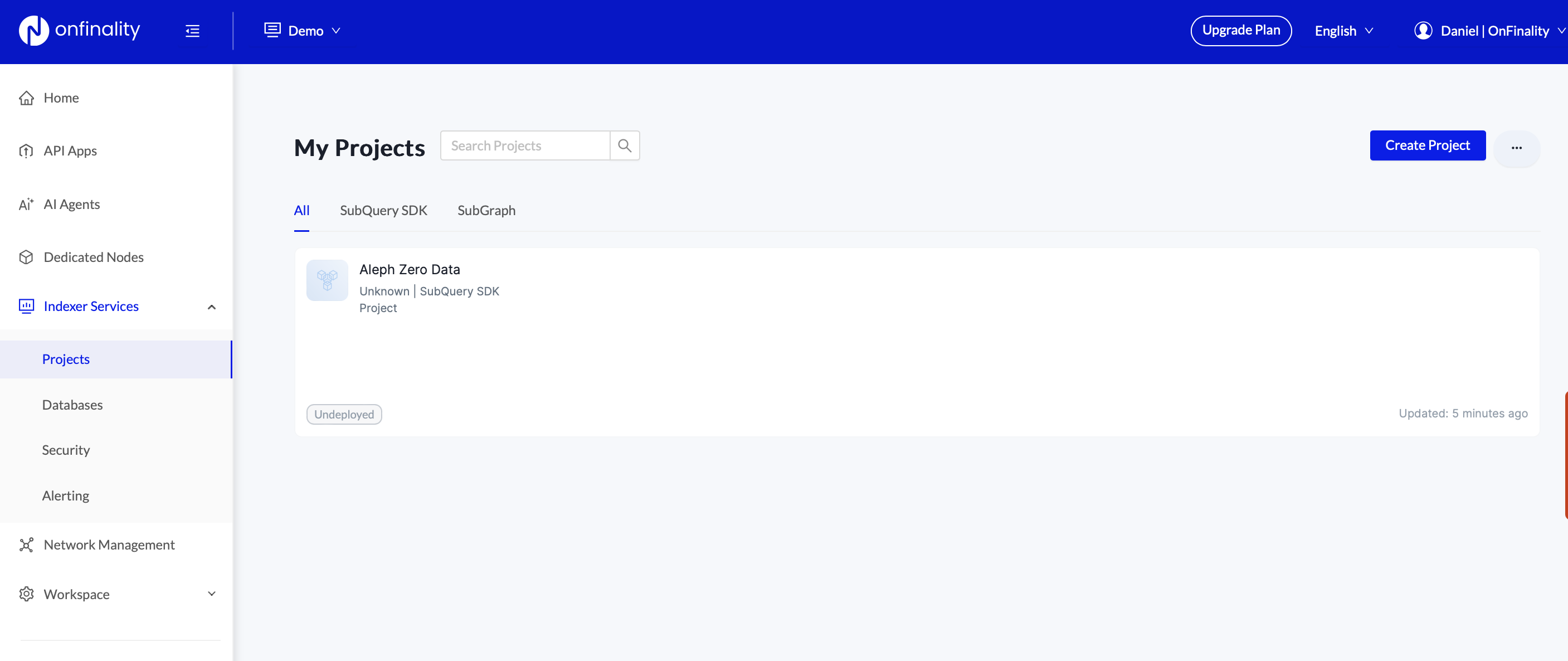
You will now see your indexing projects inside OnFinality Platform Indexer Services > Projects, with the same familiar UI.